

LED Chip Mounter Component Template Production Steps
From: Author:LED Chip Mounter Publish time:2020-11-20 16:17 Clicks:14
LED Chip Mounter Component Template Production Steps
ETA can provide original Hanwha pick and place machine, Hanwha PCB chip shooter and domestic high-speed LED chip mounter with simple operation. The quality and accuracy of the placement machine have been certified by the market.
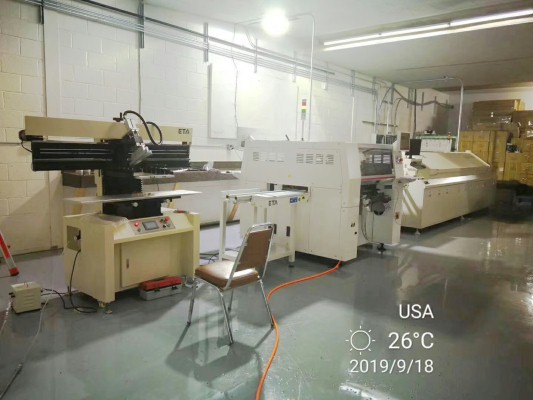
As the name suggests, the LED chip mounter is mainly used to paste LED products such as 3014, 3528, 5730, 5050, etc. Compared with the placement machine of electronic products, the LED placement machine has lower accuracy requirements and not many feeders, so the operation It's more convenient.
With the development of the LED chip mounter industry, in order to facilitate the use of users, the domestic placement machine software has become more and more convenient to operate. Some SMT placement processing plants will paste a variety of boards, and each time programming will be more troublesome. Now the placement machine The software can make component templates in the software for different components, and import this material directly next time, which is convenient and quick. The following are the steps of making the LED pick and place machine component template:
Step 1: Select the corresponding tip and move it to the Feeder where the template component is to be made, and click to pick the component.
Step 2: After the components of the template to be made are sucked onto the nozzle, click the "Go to camera position" button.
Step 3: Move the nozzle to the top of the camera, select the camera corresponding to the suction nozzle of the component, try to make the component in the center of the image, click the "template mode" button.
Step 4: Click and drag the right mouse button to frame the component at the place where the image is displayed, pay attention to make the center of the frame coincide with the center of the component, click the component template setting in the drop-down menu, and observe whether the template displayed at the display template is appropriate.
Step 5: Make fine adjustments. If it is inappropriate, change the template gray scale switch in the image parameters. If there are too many template contours, increase this parameter, and if the template contours are too few, decrease this parameter.
Step 6: After the component template is set, click Save Template in the drop-down menu, enter the component name to save, and it can be reused later.
❙ Hanwha SMD Pick and Place Machine Video